
Zettelkasten: How to Build a Knowledge System
July 24, 2026
Learn how the Zettelkasten method works, why linked notes beat linear notebooks, and how to build your own knowledge system from scratch.

June 17, 2026
AI video transcription is the process of using machine learning to automatically convert the spoken audio in a video into searchable, editable text. You feed in a lecture recording, a Zoom call, a YouTube video, or a webinar and the software returns a time-stamped transcript in minutes, with no manual typing required.
That definition sounds simple, but understanding how it works makes a real difference in how you use it. Accuracy, speed, and language support all depend on decisions made at each stage of the process. This guide covers the technology behind ai video transcription, what drives accuracy, how it compares to typing notes by hand, and the best use cases for students and professionals.
The transcript you end up with is the result of several automated steps running in sequence:
The system first extracts the audio track from the video file. It then filters background noise and detects speech segments. A speech recognition model converts the audio into phonemes, then into words. A language model refines those word choices based on context. Finally, post-processing adds punctuation, capitalization, and speaker labels.
Each step can introduce errors, and each step can be optimized. The result is a system that, in good conditions, approaches the accuracy of a human transcriber at a fraction of the time and cost.
Beyond the raw transcript, most modern tools layer on additional outputs: speaker-labeled text showing who said what, timestamps that let you jump to any moment, and export formats like TXT, DOCX, SRT, or VTT for captions and notes. Some tools add AI-generated summaries and action item extraction on top, turning a raw transcript into a structured record.
Automatic Speech Recognition (ASR) is the core technology powering AI video transcription. Modern ASR systems use deep neural networks trained on large datasets of labeled audio.
The acoustic model maps audio features (waveforms and spectrograms) to phonetic units. A language model then calculates which word sequence is statistically most likely given those sounds. This is why "recognize speech" wins over "wreck a nice beach" even when the audio is ambiguous: the language model knows which phrase is more probable in context.
OpenAI's Whisper model is trained on hundreds of thousands of hours of multilingual audio, which gives it broad accent and language coverage. Many consumer transcription tools use Whisper or a comparable foundation model under the hood. The decoder combines both the acoustic and language models using beam search, exploring multiple transcript candidates and selecting the sequence with the highest overall score. Timestamps attach to words during this process, enabling the clickable navigation you see in meeting tools.
For recordings with more than one person, the system also runs speaker diarization. This clusters audio segments by voice characteristics and labels them as Speaker 1, Speaker 2, and so on. Some enterprise tools map diarization to known participants by pulling from calendar invites.
Diarization quality drops when people talk over each other. Crosstalk is one of the harder problems in AI transcription: the model has to separate two voices mixed in the same audio channel, which is fundamentally different from recognizing one clear voice in isolation.
Accuracy in AI transcription is measured by Word Error Rate (WER): the percentage of words that were substituted, deleted, or inserted incorrectly. Lower WER is better.
Benchmarks from major providers and independent tests put modern AI systems at 5-15% WER on clear audio, which overlaps with human professional transcription at around 4-5% WER. That's close. But the benchmark assumes ideal conditions, which most real recordings don't have.
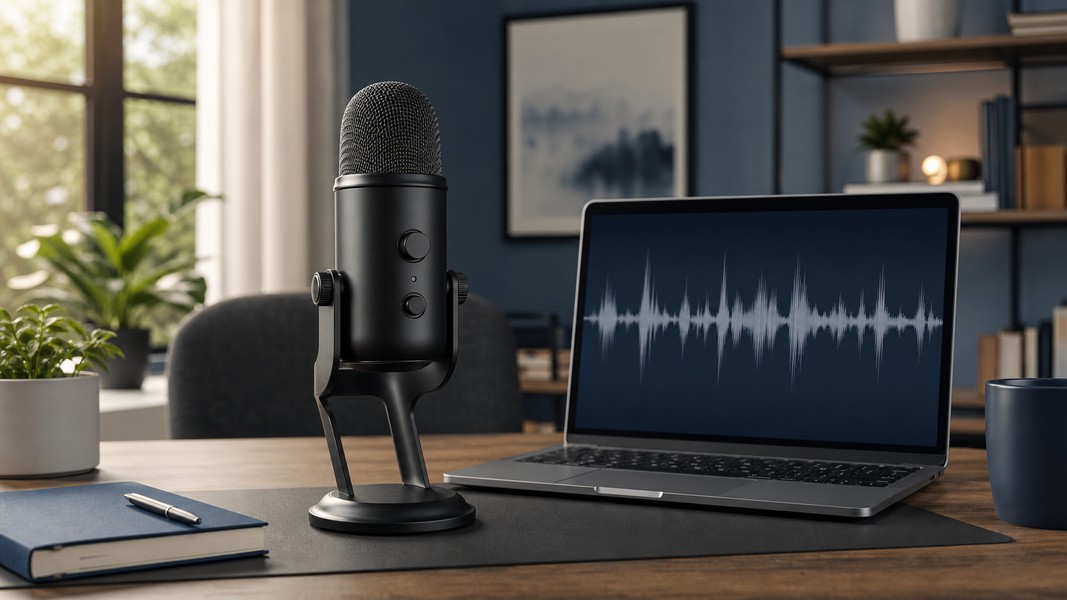
Audio quality is the single biggest factor. A decent USB mic or headset outperforms most other fixes. Laptop mics placed far from the speaker, echoey rooms, and HVAC noise push error rates well above 15%.
Accents and dialects still create gaps. Models trained predominantly on a particular language variety perform better on that variety. Non-standard accents, especially in noisy conditions, reliably increase error rates. Multilingual models like Whisper have narrowed the gap considerably, but the difference remains measurable.
Technical vocabulary is a consistent failure mode. Out-of-vocabulary words get substituted for phonetically similar common words. A pharmacology lecture full of drug names, a legal brief with Latin terms, or a software meeting with product names all challenge standard language models. Some tools let you upload custom vocabulary or domain profiles to reduce these errors.
Number of simultaneous speakers matters more than many users expect. Two people speaking clearly, one at a time, is manageable. Four people in an open-plan call with overlapping conversation is significantly harder, even for strong ASR systems.
Manual transcription takes 4 to 6 hours per hour of audio for an average human transcriber. You listen, pause, rewind, type, format, and repeat. AI systems process an hour of audio in a few minutes, sometimes near real-time for live meetings.
For a student with ten hours of weekly lectures, that difference means 40 to 60 hours of potential typing time per week, or transcripts ready before the lecture ends.
Cost follows the same logic. Professional human transcription services bill per minute and can reach significant sums for long recordings. AI transcription tools are typically bundled into monthly subscriptions or priced at a fraction per minute, reducing cost by an order of magnitude.
The quality trade-off is real. For sensitive applications like legal depositions, medical dictation, and official records, human review of AI output remains standard. A practical hybrid approach works well: use AI for the first draft, then spot-check only critical sections rather than re-typing everything from scratch. This captures most of the speed and cost benefit while maintaining acceptable accuracy for high-stakes content.
The most common student use case is capturing lectures: recorded online sessions and in-person classes recorded on a phone or laptop. With AI video transcription, you get a searchable text version of the lecture, the ability to find specific concepts without scrubbing through video, and a foundation for generating flashcards or study notes directly from the transcript.
Voice Memos supports this workflow end to end: upload a video or audio file, receive a transcript, then generate flashcards, a quiz, or a mind map directly from that content. For students following lectures in a second language, built-in translation converts the transcript to their native language automatically, covering 40-plus languages.
The YouTube-to-notes workflow extends this to any online lecture or course video: paste the URL and skip the recording step entirely. This is useful for students working through recorded university courses, professional development content, or conference talks.
Zoom's built-in transcription, Otter.ai, Fathom, Fireflies, and similar tools have made AI meeting transcription a standard feature in many knowledge-work environments. The core value is consistent: stop taking notes during the call and focus on the conversation, then review the transcript and action items afterward.
Good meeting transcription tools provide live transcription for latecomers, speaker labels for clear attribution, and auto-generated summaries that extract decisions and next steps. For teams with high meeting volume, a searchable archive of transcripts becomes a genuine knowledge base. You can find what was decided about a feature or budget item without reconstructing it from memory.
Voice Memos handles this use case for professionals who want transcription alongside structured review: record a client call or team meeting, extract action items automatically across six categories (tasks, events, reminders, locations, contacts, and notes), and review key commitments before the next meeting.
Podcasters and video creators use AI transcription to generate captions, build searchable episode archives, and repurpose audio into written articles or social posts. A transcript cuts the time from recording to publishable text significantly and makes video content accessible to a wider audience.
For internal teams, transcribing training sessions and onboarding videos gives new hires a searchable text version of materials they'd otherwise have to rewatch in full.
Getting strong results from AI video transcription is mostly about controlling your inputs. A few practices make a consistent difference across tools and use cases.
Use a decent microphone. For in-person recordings, position the device as close to the speaker as possible. For online meetings, a USB headset outperforms laptop audio in almost every test.
Minimize background noise before recording. Close windows, mute fans, and move away from open-plan offices or noisy environments when the recording matters.
If your tool supports custom vocabulary, add the specific terms, names, and acronyms your subject matter uses. This pays off quickly for courses with specialized terminology or recurring product and client names in professional settings.
After transcription, a quick scan at 1.25x speed while reading the transcript catches most critical errors. Focus on technical terms and proper nouns rather than reviewing every word.
For sensitive or confidential meetings, check whether the tool processes audio on-device or sends it to an external server. Most cloud-based tools process remotely, which matters for legal, medical, or confidential business contexts.
AI video transcription is now reliable enough to replace manual note-taking in most everyday recording situations. Clear audio, standard accents, and reasonable recording conditions produce transcripts that need minimal cleanup. Challenging conditions (distant microphones, strong accents, heavy crosstalk, domain-specific vocabulary) produce transcripts that need more review, but correcting them is still faster than typing from scratch.
The gap between AI and human transcription has narrowed significantly in recent years, driven by larger training datasets and transformer-based architectures that handle natural speech patterns better than older ASR systems. Choosing the right tool and setting up your recording environment well still matters more than model selection for most users.
If you're using transcription as part of a study or meeting workflow, the limiting factor is rarely the transcript quality itself. It is whether you do anything useful with the text afterward. The tools that combine transcription with structured outputs like summaries, action items, and study aids tend to close that gap most effectively.
Discover more insights and tips to enhance your productivity
Learn how the Zettelkasten method works, why linked notes beat linear notebooks, and how to build your own knowledge system from scratch.

Struggling to manage your time as a student? These 7 evidence-backed tactics fix the real reasons students fall behind and waste hours.

Fathom AI is great for free Zoom notes, but it has real limits. Here are the best fathom ai alternatives for meetings, students, and multi-format capture.