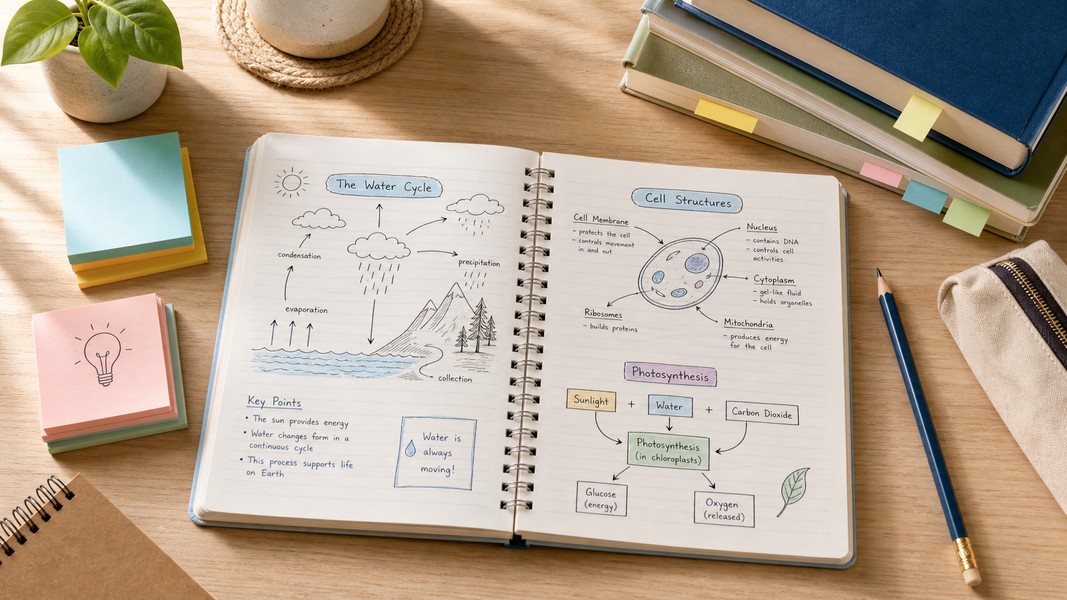
Dual Coding Theory: Study Smarter with Visual Notes
July 16, 2026
Dual coding theory shows that pairing text with visuals improves memory and recall. Learn how to use it with diagrams, mind maps, and structured notes.
July 17, 2026
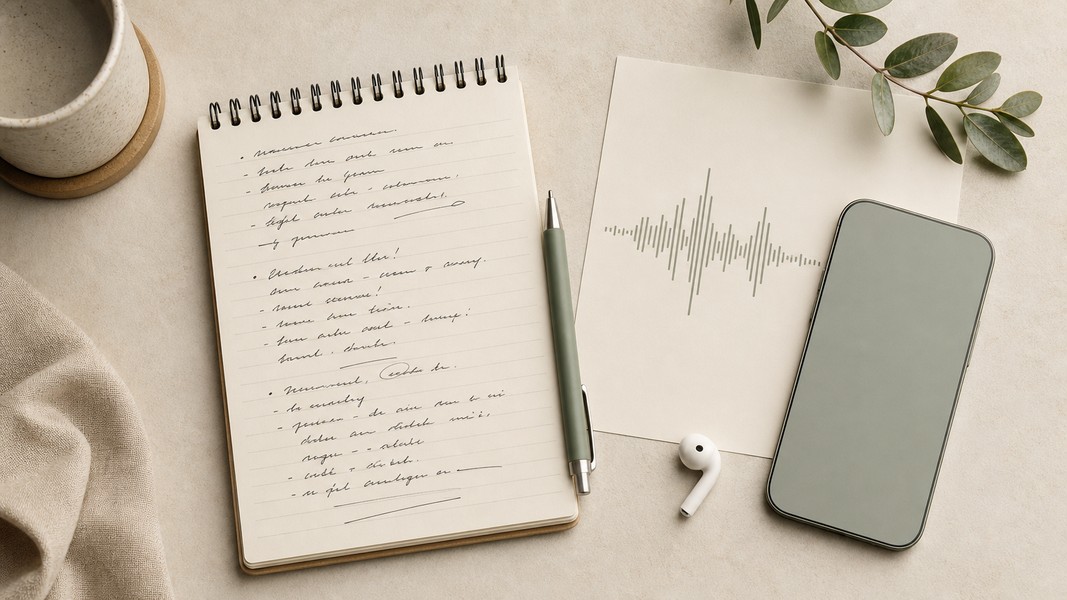
The best voice notes app does more than store audio. It transcribes what you said, organizes it into something useful, and turns raw recordings into notes, action items, or study materials you can actually use. The challenge is finding a voice notes app that fits your workflow without making you manage three separate tools.
This guide covers the top options in 2026, from AI-powered tools built for students and professionals to the native apps already on your phone. For each pick, we break down what it does well, who it's best for, and where it falls short.
| Tool | Best For | Platforms | Free Plan |
|---|---|---|---|
| Voice Memos | Students, multi-modal AI | iOS, Android, Web | Yes |
| Otter.ai | Lectures and team meetings | iOS, Android, Web | Yes |
| Fireflies.ai | Team meeting analytics | Web, iOS, Android | Yes |
| Apple Voice Memos | iPhone quick capture | iOS, watchOS | Built-in |
| Google Recorder | Pixel on-device privacy | Android (Pixel only) | Built-in |
| AudioPen | Personal dictation | Web, iOS | Yes |
| Ainotely | AI-organized knowledge | Web, mobile | Yes |
Five criteria separated genuinely useful apps from ones that just store audio.
Transcription accuracy is the foundation. Modern AI apps advertise 95-99% accuracy under ideal conditions, but real-world results vary by accent, background noise, and recording environment. An app that regularly mishears terms produces transcripts you spend more time correcting than reading.
AI organization after the transcript. The real difference between a basic recorder and an AI-powered voice notes app is what happens after the recording ends. Summaries, action item detection, semantic tagging, and study tool generation represent meaningfully different levels of usefulness.
Cross-platform sync. Sync failures and login problems are among the most common complaints in note-taking app reviews. An app that loses notes or fails to sync between your phone and laptop creates friction that undermines the whole point.
Reliability during recording. Crashes and freezes during an active session are the worst failure mode for voice apps. A missed lecture or meeting because the app froze is more damaging than not recording at all. Stability matters more than feature lists for long sessions.
Fit with your actual workflow. A student recording lectures needs different tools than a consultant capturing client calls. Apps designed for meetings don't necessarily serve solo note-taking well, and vice versa.
Voice Memos (voicememos.co) takes a different approach than most apps on this list. It doesn't just capture what you say. It processes what you feed it, whether that's a voice recording, a PDF, a camera scan of handwritten notes, or a YouTube video link, and turns all of it into organized notes and study materials.
For students, this closes a gap that most voice notes apps leave open. You can record a lecture, get a full transcript, and immediately generate flashcards with spaced repetition, quiz questions, or a mind map of key concepts. There's no switching between apps or manually reformatting content for exam prep.
The transcription engine supports 40+ languages with automatic translation, which is practical for international students or teams working across languages. Real-time cross-platform sync keeps notes accessible on iOS, Android, and the web without manual export steps.
The study tool suite is what genuinely sets Voice Memos apart from simple recorders. Most voice notes apps stop at summaries. Voice Memos generates four distinct study modes from any captured content: interactive quizzes, spaced repetition flashcards, deep research expansion, and mind maps. It also includes dyslexic-friendly formatting as a built-in feature, which restructures notes for improved readability without any extra steps.
For professionals, the app automatically detects six action types from any recorded or uploaded content: tasks, events, reminders, locations, contacts, and general notes. This means a client call or brainstorming session becomes an organized set of follow-ups without manual tagging.
Voice Memos fits best for students who want a single app to handle capture, organization, and exam prep, and for professionals who need automatic action item detection without maintaining a separate task manager.
If you're evaluating this category more broadly, the guide to AI note-taking apps covers what distinguishes different transcription models, sync architectures, and AI feature sets.
Otter.ai is one of the most recognized names in voice notes and AI transcription. It records, transcribes, and summarizes conversations in real time, with direct integrations for Zoom, Google Meet, and Microsoft Teams.
The transcription includes speaker labels, which matters when you're reviewing group discussions or client calls with multiple participants. After a session, Otter generates a summary and highlights action items automatically.
For students, Otter works well for recording lectures, especially in large classes where accurate transcription of technical terms is important. For professionals, the meeting bot joins calls without any setup required during the session itself.
Where Otter falls short is outside the meeting and lecture context. It's designed for spoken conversation between people. If your workflow includes processing PDFs, images, or video content, you'd need additional tools. It also doesn't generate study aids like flashcards or quizzes from lecture recordings, which limits its usefulness as an end-to-end student solution.
A free plan offers a meaningful amount of monthly transcription. Paid tiers unlock higher usage limits and team features.
Fireflies.ai is built for teams that run many meetings and need those conversations captured, searchable, and actionable without manual effort. It joins calls automatically, produces transcripts with highlights and topic tracking, and includes meeting analytics that surface themes and decisions across sessions.
The action item extraction pulls tasks and commitments from the transcript, which helps distributed teams stay aligned after calls. Fireflies supports more than 60 languages, making it practical for global organizations.
The analytics layer is what distinguishes it from simpler recorders. You can review trends across many meetings, not just one at a time, which is useful for managers or teams tracking recurring topics.
For individuals or students, Fireflies is more complex than necessary. The platform is designed around organizational workflows and recurring team meetings. If you're capturing solo notes or single lecture recordings, a more personal tool will serve you better.
Apple Voice Memos comes pre-installed on every iPhone, iPad, and Apple Watch, making it the starting point for most iOS users before they look for something more capable.
Recent updates added transcription support, so you can now search and copy text from recordings without listening back. Audio quality is solid, and recordings sync through iCloud across Apple devices.
The limitations are clear by design. Apple Voice Memos is built for capture and basic transcription. There are no AI summaries, no action item detection, no flashcards, and no semantic organization. If you record a lecture, you get a transcript and a recording. Turning that into study materials is entirely manual.
It works well as a capture layer for iPhone users who plan to process recordings in a more capable AI app afterward. Many students use it for quick in-class capture, then upload audio to Voice Memos (voicememos.co) for AI-powered processing when they're ready to study.
Google Recorder is built into Pixel phones and stands out for one specific reason: it processes audio on-device using Gemini Nano. Transcription happens locally, without sending audio to a server, which provides a meaningful privacy advantage for sensitive recordings.
It includes real-time transcription with speaker labels and AI summarization, and it works without an internet connection. For Pixel users recording interviews, client conversations, or personal notes in sensitive contexts, on-device processing removes a real concern.
The main limitation is hardware lock-in. Google Recorder runs exclusively on Pixel phones. If your campus or team uses a mix of devices, it's not a viable shared solution. It also doesn't include study tools or deeper AI organization beyond summaries, which limits its usefulness as a full student or professional workflow tool.
For Pixel users who prioritize privacy and want reliable on-device transcription, it's a strong built-in option. For anyone else, it's simply not available.
AudioPen sits in a different category than meeting or lecture tools. It's designed for solo thought capture, turning messy, rambling voice notes into clean, structured prose.
You speak your ideas, and AudioPen reformats them into readable writing. This is practical for professionals who dictate emails, reports, or drafts, and for anyone who thinks faster than they type but struggles to translate spoken ideas into polished text.
The scope is intentionally narrow. AudioPen produces clean text from voice input but doesn't organize that text into a knowledge system, generate study materials, or extract action items. For personal dictation tasks, it works well. For a more comprehensive voice notes workflow, it needs to be combined with other tools.
It's available on web and iOS, with a free plan for basic use.
Ainotely approaches the voice notes problem from a different direction than recording-focused apps. The core idea is that recordings shouldn't pile up in an unstructured archive. Ainotely automatically transcribes, titles, tags, and links notes together, building what it describes as a searchable second brain from your voice recordings.
The semantic search lets you query notes by concept rather than exact keywords, which is genuinely more useful when trying to retrieve something you said weeks ago without remembering the specific words. Smart tagging and automatic linking between related notes create connections across your captured content without manual organization effort.
This positions Ainotely for users whose main problem isn't capturing voice notes but actually using them. If recordings accumulate without structure, semantic linking and AI tagging address the issue more directly than better recording quality would.
The app is less known than Otter or Fireflies, and it doesn't include meeting integrations or the study tools that purpose-built student apps offer. For personal knowledge management through voice, it addresses a real gap that most voice apps leave unsolved.
Choosing between these tools comes down to what you actually need after the recording ends.
Transcription quality and language support should match your environment. If you're recording lectures in a second language or working with technical terminology, look for apps with documented multilingual support and high accuracy on complex vocabulary.
AI organization features. The difference between a basic recorder and an AI-powered voice notes app is the layer between capture and usefulness. Summaries save review time. Action item detection replaces manual note-scanning. Semantic search makes older recordings accessible. Study tools turn passive content into active learning materials. Decide which of these you actually need before comparing apps.
Platform coverage. Built-in apps like Apple Voice Memos and Google Recorder are device-specific. Most AI-powered voice notes apps cover iOS, Android, and web, but sync quality varies. Check that the apps you're considering sync reliably across the specific devices you use.
Integration with existing tools. Meeting-focused apps like Otter and Fireflies integrate directly with Zoom, Google Meet, and Microsoft Teams. If you run a lot of video calls, this saves significant setup time per meeting. If you're primarily recording in-person or solo, those integrations matter less.
Stability for long sessions. Crashes during recording are the most damaging failure mode any voice app can have. For lecture recordings or long meetings, stability should rank alongside features in your evaluation. Short sessions tolerate bugs more easily than 90-minute lectures.
For a deeper look at the transcription layer specifically, including how different AI models handle accuracy tradeoffs, see our breakdown of speech-to-text apps.
The best voice notes app depends on what you need to do after the recording ends. For students who want a full pipeline from lecture capture to exam-ready study materials, Voice Memos handles multi-modal input and generates flashcards, quizzes, and mind maps without switching tools. For meeting-heavy professionals, Otter.ai and Fireflies.ai offer strong transcription with action item tracking and video conferencing integrations. For iPhone users who want zero-setup capture, Apple Voice Memos provides a reliable baseline that pairs well with AI tools for deeper processing. And for users whose main problem is organizing recordings they already have, Ainotely's semantic approach addresses an issue most voice apps don't touch.
The gap between basic recorders and AI-powered voice notes apps has widened. An app that goes beyond storing audio, one that transcribes, organizes, and makes content searchable or study-ready, will save meaningfully more time than a faster recorder ever could.
Discover more insights and tips to enhance your productivity
Dual coding theory shows that pairing text with visuals improves memory and recall. Learn how to use it with diagrams, mind maps, and structured notes.

Learn how the Pomodoro Technique works, how to use it for studying, why it boosts focus, and how to adapt it for ADHD and different subjects.

A complete breakdown of Otter.ai pricing plans: free tier limits, Pro vs Business features, and what each plan actually gives you.