
Zettelkasten: How to Build a Knowledge System
July 24, 2026
Learn how the Zettelkasten method works, why linked notes beat linear notebooks, and how to build your own knowledge system from scratch.

June 30, 2026
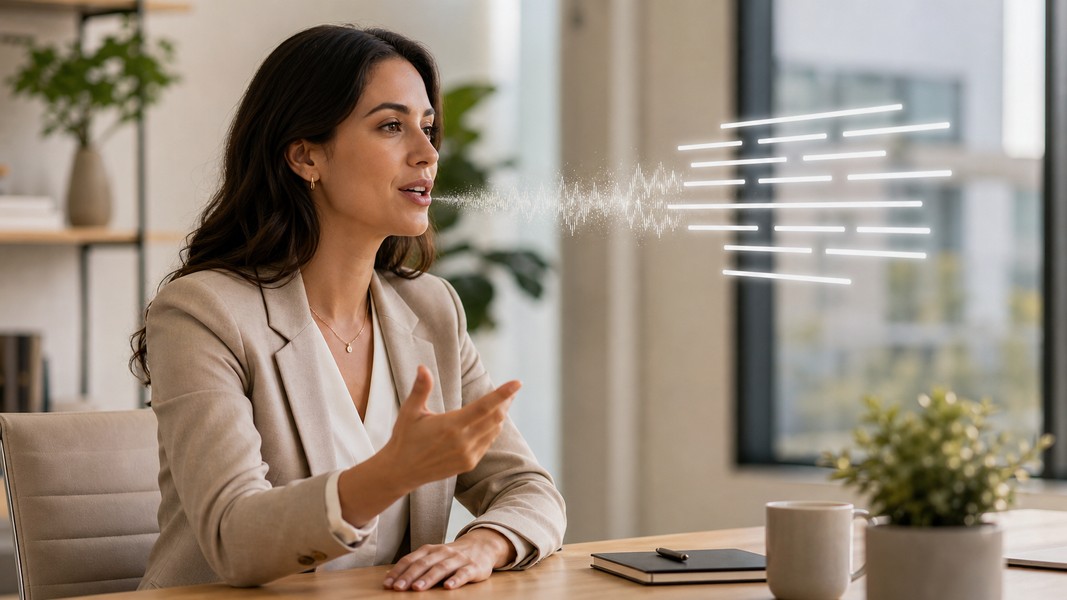
Speaking is faster than typing. The average person types 40 to 50 words per minute but speaks at 120 to 150 words per minute. Speech-to-text apps close that gap by converting your spoken words into written text, letting you capture ideas, notes, and meeting summaries without slowing down to keep up with your own thinking.
This guide explains how speech-to-text apps work, what features actually matter in real-world conditions, and which tool fits your situation best, whether you're a student trying to keep up with a fast-moving lecture or a professional who needs clean notes from every call.
A speech-to-text app listens to your voice and outputs a written transcript. The process typically happens in real time or close to it, and the result is editable text you can copy, format, and paste wherever you need it.
This is different from text-to-speech, which converts written text into spoken audio, the kind you hear in screen readers and audiobook apps. Speech-to-text runs in the opposite direction: voice goes in, text comes out.
The technology goes by several names depending on the product and context: dictation app, voice-to-text app, voice transcription, automatic speech recognition (ASR). The underlying mechanics are the same regardless of what vendors call it. What differs is accuracy, language coverage, and what happens after the transcript is created.
Modern speech recognition runs through a multi-step AI pipeline. Understanding it helps you set realistic expectations and choose tools that will hold up in your actual environment.
When you speak, the app captures audio through a microphone and converts the sound wave into a digital signal, typically at 16 kHz. Noise reduction and voice activity detection then filter out silence and background interference before the AI processes the audio.
An acoustic model maps short slices of audio to phonetic sounds, the fundamental units of spoken language. These models are deep neural networks trained on thousands to tens of millions of hours of recorded speech across accents, environments, and languages. The more diverse the training data, the more robust the model is to real-world variation.
A language model predicts which word sequences are most plausible given what has come before. This is what allows the system to choose "recognize speech" over "wreck a nice beach" based on surrounding context. Tools like OpenAI's Whisper use transformer architectures that handle punctuation, formatting, and long-range context within a single pass.
Finally, post-processing adds capitalization and punctuation, and some apps apply speaker diarization to separate multiple voices in a recording, labeling segments by who spoke when.
The math is straightforward. Speaking at 120 to 150 words per minute against typing at 40 to 50 wpm means dictation can generate raw text roughly three times faster. Even accounting for transcript cleanup when accuracy is less than perfect, dictation consistently outpaces typing for first drafts and raw capture.
For students, the practical effect is capturing lecture content without constantly falling behind. For professionals, it means finishing a meeting summary in the time it takes to walk back to your desk rather than reconstructing it from memory an hour later.
The gain is greatest in situations where you need to capture a lot of content quickly. It matters less for polished final output, where the writing itself is the bottleneck, not the physical act of putting words down.
Not all speech-to-text apps perform equally in real-world conditions. These are the features that create the most meaningful difference.
Accuracy in your actual environment. Accuracy is measured by word error rate (WER): the percentage of words transcribed incorrectly. Top models reach 2 to 3% WER on clean studio audio, but WER climbs to 8 to 12% on real-world conversational audio like lecture halls, open offices, and phone calls. Vendor-reported single WER figures can be misleading because they're often measured on clean, controlled recordings. Test any tool in the environment you actually plan to use it.
Language and accent support. High-resource languages like English, Spanish, and French get the best accuracy. Accented speech consistently produces higher WER than neutral-accent benchmarks. If you speak with a regional or non-native accent, or need multilingual support for foreign language classes, check whether the tool has been tested on diverse speaker populations, not just standard American or British English.
Online vs offline processing. Cloud-based apps stream audio to remote servers and return more accurate results because they can run larger models. The tradeoff is a stable internet connection and privacy questions for sensitive recordings. On-device processing keeps audio local, which matters for confidential professional calls or proprietary research.
Speaker diarization. If you record conversations with multiple people, diarization labels who said what. This is essential for meeting notes where you need to attribute action items to specific individuals. Quality varies significantly across tools, and some platforms require it as a paid add-on.
Workflow integration. A transcription that sits in a separate app creates friction. The most effective setups push text directly into wherever you already work: Google Docs for students writing papers, a CRM for sales reps logging calls, or a dedicated note app that layers additional processing on top of the raw transcript.
Apps like Voice Memos take this further by automatically detecting action items, events, and contacts within the transcript, so the output isn't just text but organized information ready to act on.
These are the tools worth considering, matched to who gets the most out of each.
Google Docs Voice Typing is free, integrated into Chrome, and works directly inside Google Docs. You dictate and text appears in your document. Voice commands like "new line" and "comma" handle formatting without breaking your flow. It's the right starting point for students who draft essays and reports in Google Docs and want dictation without adding another app to their workflow. The limitation is that it's live dictation only: it won't transcribe an existing audio file or a recorded lecture.
Apple Dictation operates at the system level across iOS and macOS, available in any text field from Notes to Mail to third-party apps. Recent iPhones support on-device processing for users who want to keep audio off the cloud. It handles quick notes, messages, and short dictation tasks well, but it lacks meeting transcription, speaker labels, and post-processing features.
Dragon Professional is the benchmark for desktop dictation accuracy and voice control. It supports complex formatting commands, lets you navigate applications by voice, and maintains specialized vocabularies for technical, medical, and legal terminology. The tradeoff is setup time: Dragon requires microphone calibration and an adjustment period. It's purpose-built for document-heavy roles where someone dictates for hours and needs precise control over the output.
Otter.ai focuses on meetings and lectures. It integrates with Zoom and Microsoft Teams to automatically join scheduled calls, generate live transcripts, and produce a summary with key topics highlighted afterward. Students use it to record lectures with speaker separation between professor and student voices. Professionals use it to document client conversations and team meetings without manual effort. All audio is processed on Otter's servers, which is a consideration for confidential material.
Voice Memos combines voice recording with multi-modal input, accepting PDFs, camera scans, and YouTube links alongside live audio. When you record a lecture or a meeting, it transcribes in 40+ languages and then automatically detects tasks, events, and contacts embedded in the conversation. For students, it adds quiz and flashcard generation on top of the transcript, turning captured content into study material without a separate step. This makes it a strong fit when you want transcription and post-capture processing in one place rather than routing audio through a standalone transcription tool and then manually organizing what comes out.
Whisper-based apps run OpenAI's Whisper model, which reaches 2.7% WER on clean audio and handles 100+ languages with strong robustness to noisy environments. Desktop apps that run Whisper locally keep all audio on your machine, making them the right choice for researchers or professionals working with sensitive recordings who can't send audio to external servers. The limitation is that Whisper itself does not include speaker diarization or meeting-specific features, so some tools add those as separate layers.
For a deeper look at dedicated transcription tools, the audio transcription guide covers the full landscape in detail.
The right speech-to-text app depends on two things: what you're recording and what you do with the output.
If you're a student capturing lectures, you need something that runs passively in the background, handles noisy classroom audio reasonably well, and gives you searchable notes afterward. Otter.ai and Voice Memos both cover this well. Voice Memos adds built-in study tools if you want to turn transcripts directly into flashcards or quizzes without switching apps.
If you're a professional living in back-to-back meetings, the priorities shift to calendar integration, speaker labels, and a way to share summaries with your team. Otter.ai and enterprise ASR solutions embedded in Zoom or Teams handle this context well.
If you produce long documents and need to dictate into desktop applications with voice commands and precise formatting control, Dragon Professional is in its own category. No cloud-based meeting tool replicates its depth of voice control for document production.
For quick personal notes on a phone without adding complexity, Apple Dictation and Google Voice Typing do the job without requiring another app.
See how specific AI transcription software stacks up across accuracy, pricing, and use case fit if you're evaluating dedicated transcription platforms.
Speech-to-text apps have moved from experimental to genuinely reliable. Accuracy on clean audio now sits in the 2 to 3% WER range for the best models, and real-world performance in noisy environments has improved alongside. The result is that speaking your notes instead of typing them is no longer a quality compromise for most users.
The choice between tools comes down to workflow fit, not raw accuracy alone. A student capturing a chemistry lecture needs different features than a sales rep documenting a client call. Match the tool to your context and it will largely disappear into your process, leaving you with organized text where you need it.
Discover more insights and tips to enhance your productivity
Learn how the Zettelkasten method works, why linked notes beat linear notebooks, and how to build your own knowledge system from scratch.

Struggling to manage your time as a student? These 7 evidence-backed tactics fix the real reasons students fall behind and waste hours.

Fathom AI is great for free Zoom notes, but it has real limits. Here are the best fathom ai alternatives for meetings, students, and multi-format capture.