
ADHD Organization: Apps and Strategies That Help
July 12, 2026
ADHD makes organization hard at a neurological level. Learn which strategies and apps reduce cognitive load rather than demand more willpower.

July 13, 2026
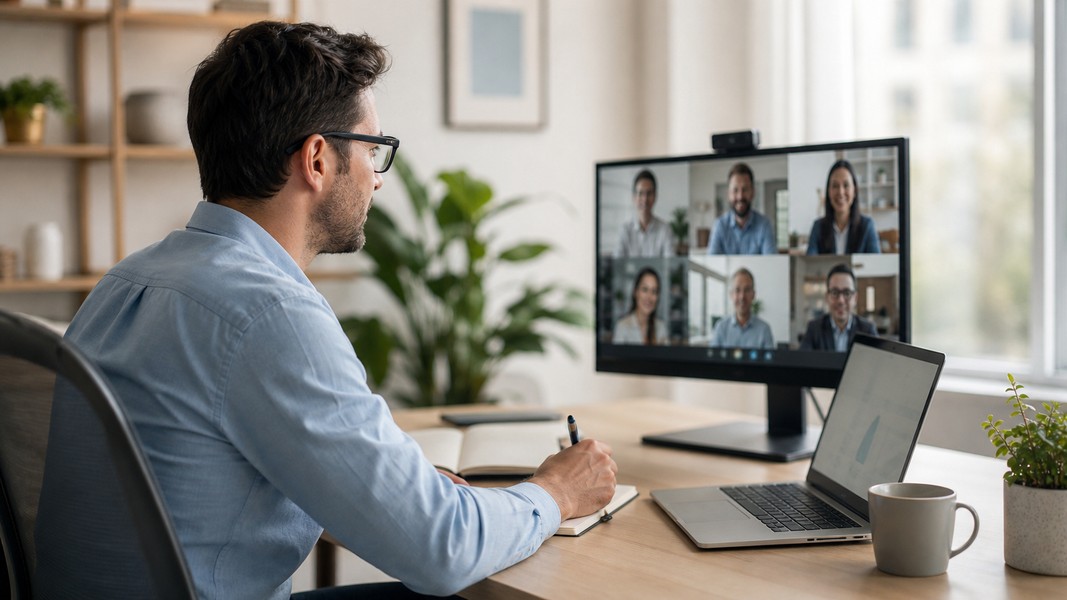
Choosing the right Granola AI note taker versus Otter AI comes down to one key difference: how you prefer to capture meetings and what you do with the output. Granola runs quietly in the background on your Mac, blends your own notes with AI, and produces structured summaries with decisions and action items after each call. Otter sends a bot into your scheduled meetings, transcribes in real time, labels speakers, and builds a searchable archive across every conversation you've had.
Both solve the same core problem. They just solve it in ways that suit very different kinds of professionals.
| Category | Granola AI | Otter AI |
|---|---|---|
| Best for | Mac-based professionals who want clean notes without a bot | Cross-platform teams needing real-time transcription and collaboration |
| Capture method | Device audio on Mac, no bot joins | Bot auto-joins Zoom, Teams, Google Meet |
| Transcription accuracy | Excellent, outperforms Otter in independent tests | Very high, strong for multi-speaker meetings |
| AI summaries | Structured notes with decisions, action items, open questions | Summaries plus Otter AI Chat for querying your meeting archive |
| Platform support | Mac only | Web, desktop, iOS, Android |
| Free tier | 25 free meetings | 300 minutes per month with 30-minute session cap |
| Language support | 10 to 15 languages with mid-call switching | Primarily English, French, and Spanish |
| Integrations | Works with any Mac meeting app; lighter CRM support | Zoom, Teams, Meet, Salesforce, HubSpot, Dropbox, calendar auto-join |
Granola wins for: Client calls where you can't have a visible bot, Mac-only users, professionals who want clean readable notes over raw transcripts.
Otter wins for: Multi-platform teams, heavy Zoom and Teams users, sales workflows tied to CRM, anyone who needs a cross-meeting searchable archive.
Granola AI is a Mac-native AI meeting notes app built around one core idea: the notes that come out of a meeting should read like they were written by a thoughtful person, not pulled from an automated transcript dump.
The product works by listening to your Mac's system audio during any call you join on Zoom, Google Meet, Teams, or any other tool. There's no bot involved. Nothing joins the call, no recording banner appears, and your guests won't know software is running in the background. When the meeting ends, you click "Generate Notes" and get a structured document with decisions bolded, action items attributed to specific participants, and open questions grouped for easy follow-up.
What sets Granola apart is the scratchpad. During the meeting, you can jot down shorthand notes or key thoughts directly in the app. When you generate your final notes, Granola blends your own input with the AI transcript, so the output reflects your judgment about what mattered, not just automated extraction. The summary becomes a synthesis of your thinking and the AI's capture rather than a mechanical rendering of everything that was said.
Granola achieved SOC 2 Type II certification in July 2025, which signals mature security practices. Audio is processed only long enough for transcription and then deleted. Only the transcript and final notes are stored, which matters for professionals working with sensitive client information.
The platform limitation is real and non-negotiable. Granola is Mac-only. There's no Windows app, no iOS or Android app for capturing in-person conversations, and no way to upload pre-recorded audio files for transcription. If your team spans Mac and Windows users, or if someone needs to access notes from mobile, Granola creates gaps that other tools won't.
For transcription language coverage, Granola supports around 10 to 15 languages and includes a multi-language mode that can switch languages mid-call. That's broader than many competing tools in its category, though not as extensive as some enterprise-grade transcription platforms.
Otter AI has been a well-known name in the meeting transcription space for long enough that it often appears as the default recommendation when someone asks about AI meeting notes. That reputation is earned. It's a cross-platform assistant that auto-joins your scheduled calls as a bot, captures everything in real time, identifies speakers, and produces a searchable record of your conversations.
The product's ambition goes beyond single-meeting notes. Otter positions itself as a conversational knowledge engine. Its Otter AI Chat feature lets you ask questions across your entire meeting archive, so you can pull up what was decided in a meeting three weeks ago, who committed to which deliverables, or what a specific client mentioned in their last call, all through a natural-language interface.
Otter integrates natively with Zoom, Microsoft Teams, and Google Meet, connects to your calendar so it auto-joins meetings automatically, and offers native CRM integrations with Salesforce and HubSpot for teams that need meeting intelligence to feed directly into their sales pipeline. Mobile apps for iOS and Android mean you can also capture in-person conversations, not just video calls.
The tradeoffs are visible and documented. The bot that joins your meeting triggers a recording consent banner. Some users find this creates awkward moments on external client calls. Multiple reviews point to concerns around Otter's data practices: by default, Otter uses de-identified customer conversations to train its AI models, a practice that became the subject of a class-action lawsuit in 2025. Privacy-focused teams should read the terms carefully before committing.
The free plan is also heavily restricted. At 300 minutes per month with a 30-minute per-session limit, active meeting participants will burn through the free tier quickly. Otter's language coverage is narrower than most comparisons would suggest, primarily strong in English with additional support for French and Spanish but limited broader multilingual capabilities.
Transcription accuracy is the most common deciding factor in this comparison, and the results are more nuanced than the conventional wisdom suggests.
Otter's accuracy is well-established. Most benchmarks put it at around 95% under good conditions, and its speaker-labeling capability is one of its strongest features. You can assign voice profiles to recurring participants, which helps accuracy improve on team calls over time. Real-time display of the transcript during meetings allows participants to catch errors as they happen rather than discovering them after the fact.
Where Otter struggles is in harder conditions. Multiple reviewers note accuracy drops with strong accents, overlapping speakers, jargon-heavy technical discussions, and variable audio quality. The language barrier also limits its usefulness for multilingual teams where conversations switch between languages.
Independent testing published in 2025 and 2026 paints a different picture for Granola. At least one detailed comparative review of over 20 meetings found Granola's transcription accuracy better than Otter, Notta, and Tactiq across various call types. Because Granola captures device audio directly rather than processing through a bot, it picks up what your speakers and microphone actually produce, which can reduce certain types of transcription noise.
Granola's multi-language support with mid-call switching gives it an edge for international users or teams where participants frequently code-switch between languages.
For speaker identification, Otter is the stronger system. It supports multiple speaker profiles, participation metrics, and speaker-level analytics that Granola doesn't replicate at the same depth. If accurate speaker attribution across a large team is a priority, Otter handles it better.
The practical summary: if you care about the quality of individual meeting transcripts and you're on a Mac, Granola tends to produce more accurate text. If you need multi-speaker identification and real-time collaborative transcription visible to everyone in the call, Otter is better equipped.
Both tools generate meeting summaries with action items. The difference is in what those summaries actually look like and how they get used after the fact.
Granola's summaries are structured and opinionated in a useful way. Decisions are bolded. Action items are attributed to specific people by name rather than listed generically. Open questions that came up but weren't resolved get their own grouping so nothing falls through the cracks. Because your scratchpad input shapes the final notes, the summary reflects your judgment about what the meeting was actually about, not just what was said most frequently.
The result tends to be a document you can send directly to stakeholders or use as a reference in the next meeting without extensive editing. Multiple reviewers describe Granola's notes as feeling like something "a thoughtful person would write" after a debrief, as opposed to a list of auto-generated highlights pulled from keyword frequency.
Otter's summaries work differently. The output includes a summary plus a checklist of action items, and both are available quickly after the meeting ends. The stronger differentiator is Otter AI Chat, which lets you query across your entire archive of past meetings using plain language. This becomes genuinely valuable once you've accumulated several months of recordings. Recalling what was committed in a previous call, tracking recurring discussion topics, or surfacing relevant context before an upcoming meeting all become fast operations rather than manual searches.
For a professional who attends many of the same recurring meetings, Otter's cross-meeting intelligence adds value that Granola's meeting-by-meeting approach doesn't match. For someone who prioritizes the quality of individual meeting documentation over long-term archive search, Granola produces outputs that require less post-processing.
This is often where the practical decision gets made.
Granola's integration story is simple by design. Because it captures Mac system audio, it works automatically with any meeting tool running on your computer, whether Zoom, Google Meet, Teams, Webex, or anything else. You don't need to configure per-platform integrations. The tradeoff is that the meeting must happen on a Mac where Granola is actively running. There's no remote bot option, no mobile capture, and no way for a remote participant to use Granola on their end if they're on Windows.
Team-level features in Granola's higher tiers include shared folders and collaborative note access, but the depth of CRM and workflow integrations is limited compared to Otter. Public documentation doesn't show native Salesforce or HubSpot connections at the level Otter offers.
Otter's integration ecosystem is substantially broader. Calendar connection means the bot auto-joins meetings pulled from your schedule with no manual action required. Zoom, Microsoft Teams, and Google Meet are all natively supported with deep integrations. Dropbox and other cloud storage services connect for easy export. For sales teams specifically, native CRM integrations with Salesforce and HubSpot let meeting summaries and action items flow directly into deal records.
The mobile apps extend Otter's reach beyond video calls entirely. Capturing in-person conversations, client site visits, or phone calls from an iPhone or Android device and having those transcriptions searchable alongside your video call archive is a capability Granola doesn't offer.
| Aspect | Granola AI | Otter AI |
|---|---|---|
| Platforms | Mac only | Web, desktop, iOS, Android |
| Meeting capture | Any app on Mac via system audio | Bot joins Zoom, Teams, Meet via calendar auto-join |
| In-person recording | Not supported | iOS and Android apps |
| CRM integrations | Lightweight or undocumented | Native Salesforce and HubSpot |
| Calendar auto-join | No (manual launch per meeting) | Yes (bot joins from calendar invite) |
| Pre-recorded audio | Not supported | Limited file import on free tier |
Granola fits a specific professional profile clearly enough that the choice becomes obvious for the right person.
You're on a Mac. Most of your meetings happen in Zoom, Google Meet, or Teams, but you don't want a bot joining with a visible recording banner, especially on calls with clients or prospects who might be sensitive to it. You're willing to open the app before a meeting and actively use the scratchpad during calls in exchange for notes that come out structured and client-ready without heavy editing.
Lawyers, management consultants, account managers, and any client-facing professional who treats meeting discretion as important tend to gravitate toward Granola. The output also suits anyone who attends focused one-on-one or small-group meetings where note quality matters more than capturing every word of a large group discussion.
Teams working entirely on Mac who want a lightweight tool without enterprise complexity will find Granola's simplicity an asset rather than a limitation. The SOC 2 certification makes it easier to justify to procurement and IT for roles handling sensitive information.
Otter is the better fit when the workflow demands more surface area.
Your team includes Windows users and Mac users. You attend Zoom calls, Teams calls, and Google Meet calls in the same week. You want the system to capture meetings automatically without remembering to open an app before every call. Your sales team already uses Salesforce or HubSpot and wants meeting notes to appear in deal records without manual copy-pasting. You have recurring standup calls, client check-ins, and internal meetings where being able to search a month of transcripts would save real time.
Otter AI Chat adds significant value in this context. If you've had 50 meetings over the past two months and someone asks what the consensus was on a specific topic, querying the archive takes seconds. For teams that treat their meeting history as an institutional knowledge base, that capability changes how information flows.
Remote and hybrid teams also benefit from Otter's mobile capture. Field sales, recruiters doing phone screens, and professionals who hold conversations outside of scheduled video calls can capture those interactions and have them searchable alongside their regular meeting archive.
Granola and Otter are both purpose-built for a specific workflow: meetings that happen in scheduled video calls. Outside that context, both tools have significant blind spots.
Neither can transcribe a pre-recorded audio file, extract notes from a PDF, pull key points from a YouTube video, or process a photograph of whiteboard notes taken during an in-person session. If your information arrives in multiple formats, you're managing separate tools for each one.
Meeting notes apps built around multi-modal capture take a different approach. Voice Memos processes voice recordings, uploaded PDFs, camera scans, YouTube links, and typed text through the same AI system, automatically detecting tasks, events, reminders, contacts, and locations from any input type. A meeting recording, a scanned whiteboard photo from that same meeting, and the follow-up email can all be processed together rather than handled by three separate tools.
For professionals who want clean AI meeting notes and nothing else, Granola or Otter will serve well depending on their platform requirements. For professionals whose information arrives in multiple formats throughout the day, Voice Memos handles the full range without requiring different apps for different input types.
You can read the full Granola AI review for a deeper look at that product on its own terms before deciding between the two.
Granola AI and Otter AI are both solid options for meeting note capture, but they're not interchangeable.
Granola is the stronger choice for Mac-based professionals who prioritize high-quality, structured notes over raw transcripts, want to keep bots out of client calls, and value a clean, focused tool over a feature-rich platform. Otter is the better fit for cross-platform teams, sales workflows tied to CRM, and professionals who want a searchable knowledge base built from months of meeting recordings.
The right tool is the one that fits how you actually work. A simpler app you use consistently before every meeting will outperform a more capable one you forget to open.
Discover more insights and tips to enhance your productivity
ADHD makes organization hard at a neurological level. Learn which strategies and apps reduce cognitive load rather than demand more willpower.
Dragon dictation software is powerful but Windows-only and expensive. Compare the best modern AI alternatives for medical, legal, and general professional use.
Build a second brain with these 7 proven techniques: capture ideas faster, organize with PARA, and use AI to retain and retrieve knowledge effortlessly.