
Zettelkasten: How to Build a Knowledge System
July 24, 2026
Learn how the Zettelkasten method works, why linked notes beat linear notebooks, and how to build your own knowledge system from scratch.

June 9, 2026
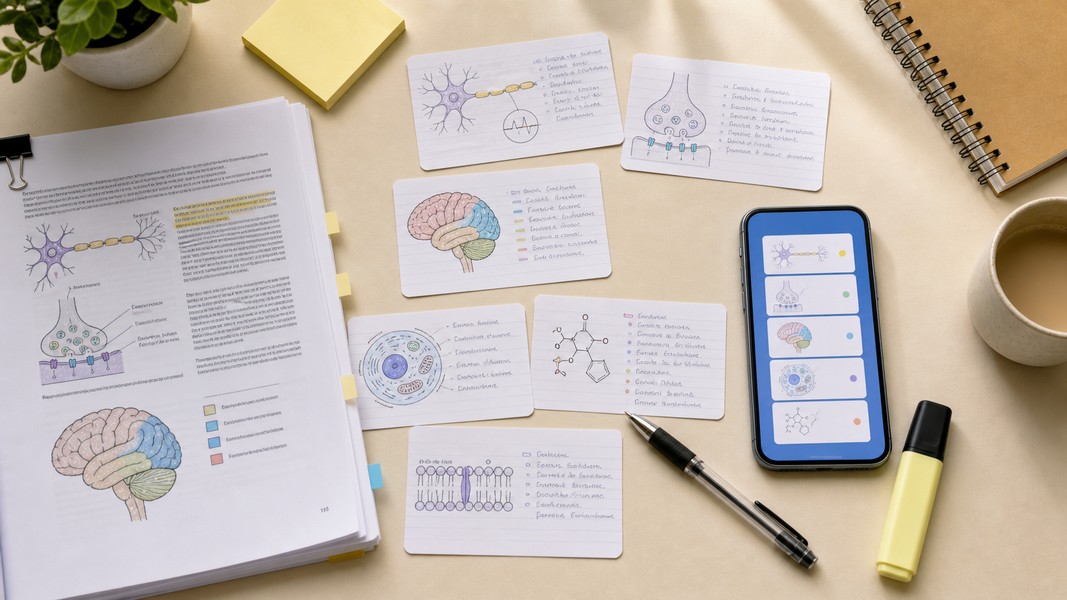
Converting a PDF to flashcards used to take hours. You'd open your textbook chapter, read through it, and manually type question-answer pairs into Anki or Quizlet one by one. Today, AI can do that work in seconds.
The best PDF to flashcards tools extract key concepts from your uploaded document and generate ready-to-study decks automatically. Some add spaced repetition scheduling, others export directly to Anki, and a few go further with quizzes, mind maps, and multi-modal input. This guide ranks the top options and explains what separates genuinely useful tools from gimmicky ones.
| # | Tool | Best For | Spaced Repetition | Input Types |
|---|---|---|---|---|
| 1 | Voice Memos | All-in-one AI study suite | Yes (built-in) | PDF, voice, YouTube, camera |
| 2 | Knowt | Free Quizlet alternative | Yes (free) | PDF, notes |
| 3 | StudyGlen | FSRS scheduling with multi-media | Yes (FSRS) | PDF, images, YouTube |
| 4 | Revisely | Fast lightweight generation | Basic | |
| 5 | FORKSAI | Free multi-format tool | Basic | PDF, notes, video, images |
| 6 | Anki + AI tools | Maximum SRS control | Yes (SM-2/FSRS) | Via export |
| 7 | Quizlet | Pre-made shared sets | Yes (paywalled) | Limited PDF |
| 8 | ChatGPT / Claude | Custom card formats | None | PDF (via upload) |
Three things separate genuinely useful PDF flashcard tools from gimmicky ones.
PDF parsing quality. Can the tool handle your actual study PDFs: dense lecture slides, scanned textbook chapters, multi-column research papers? Tools that only work on clean, text-searchable PDFs fail when it matters most.
Flashcard generation quality. Good AI produces atomic question-and-answer pairs, one fact per card. Bad AI dumps entire paragraphs as "answers." The difference in study effectiveness is significant because the testing effect requires retrieving specific information, not re-reading dense blocks of text.
Study system integration. A tool that generates cards but has no built-in spaced repetition is half a solution. The best tools either include a real SRS algorithm themselves or make Anki export frictionless.
Voice Memos is the strongest choice for students who want a complete study workflow, not just a card generator. Upload a PDF and the AI extracts key concepts and builds a flashcard deck you can study immediately with built-in spaced repetition.
What separates it from dedicated flashcard tools is the input range. Beyond PDFs, you can paste a YouTube lecture URL, record your own voice, or photograph handwritten notes with your camera. The AI processes all of these the same way: transcribing, organizing, and generating study materials automatically. If you're studying for exams using a mix of recorded lectures, downloaded slides, and scanned notes, you never need to switch apps.
The study modes go well beyond basic flashcards. Voice Memos includes an interactive quiz mode where AI generates questions from your uploaded content, a deep research mode that expands on captured material with additional context, and mind maps for visual learners. All four modes draw from the same source material, so you can review a PDF chapter multiple ways without extra effort.
For students studying in a second language, the 40+ language transcription with automatic translation is a practical advantage. Upload a lecture PDF in one language and review flashcards in another. The AI flashcard generator guide walks through the complete upload-to-review workflow in detail.
Voice Memos also includes a dyslexic-friendly formatting mode, which restructures any imported content to improve readability. It's a feature no other AI study app currently matches.
Voice Memos works on the web, iOS, and Android with real-time sync across devices.
Best for: Students who want to create flashcards from PDFs, recordings, and video in one place, with spaced repetition and quizzes built in.
Knowt has become the go-to free replacement for Quizlet since Quizlet moved its AI features and Learn mode behind a subscription. Knowt's platform lets you upload a PDF and the AI generates flashcards and quizzes from it automatically, then study those cards using free spaced repetition.
The free learn mode is Knowt's core differentiator. Quizlet charges for the equivalent feature. Knowt includes it at no cost, which makes it an obvious upgrade path if you're already spending time in Quizlet. You can import existing Quizlet sets in one click, so transferring your current decks over requires no extra setup.
Flashcard quality is solid for straightforward lecture notes and linear textbook sections. Where it can struggle is complex academic PDFs: equations, multi-column layouts, or papers with heavy formatting may produce noisier cards that need manual cleanup. For standard undergraduate coursework, it performs well consistently.
Best for: Students who want a free, all-in-one PDF-to-flashcards tool with built-in SRS and a seamless import path from Quizlet.
If the algorithm scheduling your reviews matters to you, StudyGlen is worth paying attention to. It uses FSRS (Free Spaced Repetition Scheduler), a modern algorithm trained on real review data that optimizes recall timing more precisely than the older SM-2 system built into classic Anki.
StudyGlen also handles OCR for scanned notes and images, which most tools skip. You can upload a photograph of handwritten lecture notes and get AI-generated flashcards without running a separate OCR step. It supports YouTube video input as well, which puts it close to Voice Memos in terms of input flexibility.
The AI can generate visual study aids alongside text cards. For subjects with diagrams, labeled anatomy illustrations, or any content where visuals reinforce understanding, this is a practical differentiator.
Best for: Students who want modern FSRS scheduling alongside PDF, image, and video input in one app.
Revisely prioritizes speed above everything else. Upload your PDF and the AI generates a flashcard set within seconds. There's no complex setup, no lengthy feature list to navigate, and no steep learning curve.
The study system inside Revisely is simpler than Anki or FSRS-based tools. It works well as a generation front-end: create cards quickly from a chapter you just downloaded, then export to Anki if you want more sophisticated review scheduling later. If you need flashcards ready in under a minute, it delivers on that without friction.
Best for: Students who want the fastest path from "downloaded lecture PDF" to "studying flashcards," without caring about SRS depth.
FORKSAI positions itself as a fully free study tool with no paywalled core features. You can upload PDFs, notes, slides, YouTube videos, and images, and the AI generates both flashcards and summaries from all of them. The settings are configurable, so you can adjust how many cards are generated and what format they take.
For students on a tight budget who still need multi-format input beyond just PDFs, FORKSAI covers significant ground without charging for it. The trade-off is that it's a newer platform with less community documentation than Anki or Quizlet.
Best for: Budget-conscious students who need free AI flashcard generation from PDFs, video, and images without hitting a paywall.
Anki remains the most powerful spaced repetition system available. Its ecosystem of add-ons is unmatched: detailed statistics, highly configurable review intervals, and FSRS support via an add-on if you want modern scheduling without switching apps entirely.
The limitation is that Anki itself has no native AI PDF parsing. You'll need an external tool to generate decks from your PDFs and then import them. StudyCards AI is built specifically for this pipeline: upload a PDF, get a deck formatted for Anki, export directly. The extra step is worth it if you're already deeply invested in Anki with years of existing decks you don't want to abandon.
For students starting fresh with no existing Anki history, an all-in-one app is more efficient. But for medical or law students already running complex Anki decks through a rotation, adding AI-powered PDF generation on top of the existing SRS setup is a strong combination.
Best for: Power users with existing Anki decks who want AI-generated cards from PDFs without abandoning their SRS setup.
Quizlet's strength has always been its library of shared sets. If someone in your course has already made a deck on the topic you're studying, you can find it and start reviewing immediately without generating anything from scratch.
The PDF-to-flashcard pipeline is Quizlet's weakness. Native PDF upload is not a core feature, and most AI-assisted creation tools now sit behind a paid subscription. If your specific need is generating cards from your own PDFs, other tools on this list handle it more directly and with fewer restrictions.
Best for: Students who can find pre-made sets for their courses and want familiar, polished study modes without generating cards themselves.
General-purpose AI assistants offer the most control over how flashcards are structured. Upload a PDF chapter in tools that support file input, and write a prompt like: "Turn this into 40 Anki-style Q&A flashcards. One concept per card. Keep answers under three sentences."
You can prompt for specific formats: cloze deletions, clinical vignette style for medical students, definition-first versus example-first structure. The quality ceiling is high when you prompt carefully.
The drawback is the workflow overhead. You get cards as text output that you then copy into a CSV and import to Anki, or paste manually into another app. There's no built-in SRS, no scheduling, and no study interface. Use AI assistants for custom card creation on specialized topics where other tools produce noisy results, not as your primary PDF to flashcards workflow.
Best for: Students who need custom card formats for niche subjects and are comfortable managing an Anki import manually.
Before committing to any tool, test it on a real PDF from your actual coursework, not a demo file. Check whether the generated cards make sense, contain accurate information, and reflect the content rather than garbled or missing text.
Atomic card design matters most. The best tools generate one fact per card with a clear question and a concise answer. If an AI generates flashcards with multi-paragraph answers, those cards are too dense for effective recall. Split any card that covers more than one concept before you start studying.
SRS algorithm quality affects retention. For casual review, basic spaced repetition is fine. For high-stakes exams with heavy memorization requirements, FSRS-based tools schedule reviews more precisely than older systems. If you're preparing for medical licensing exams or bar exams, the scheduling quality compounds over months of studying.
Review AI-generated cards before you start. Spend 10 minutes checking for hallucinations in technical subjects, merging duplicate cards, and editing any answer you'd phrase differently in your own words. Rewriting answers in your own words also strengthens retention.
Multi-format input saves time across a semester. If you also want to generate cards from recorded lectures, YouTube videos, or handwritten notes, look for tools that handle multiple input types. AI PDF tools that also process audio and video keep you in one app across every study session.
Converting PDFs to flashcards with AI removes the biggest friction point in spaced repetition studying: the time spent creating cards manually. The right tool depends on how you study. For a complete workflow across PDFs, recordings, and video with spaced repetition and quizzes built in, Voice Memos handles it all in one place. For a free focused option with solid SRS, Knowt and StudyGlen cover that well. And for maximum scheduling control, Anki paired with an AI generation tool gives you both precision and flexibility. Whatever you choose, uploading your first deck immediately after each lecture, rather than waiting until before the exam, is where the retention gains actually compound.
Discover more insights and tips to enhance your productivity
Learn how the Zettelkasten method works, why linked notes beat linear notebooks, and how to build your own knowledge system from scratch.

Struggling to manage your time as a student? These 7 evidence-backed tactics fix the real reasons students fall behind and waste hours.

Fathom AI is great for free Zoom notes, but it has real limits. Here are the best fathom ai alternatives for meetings, students, and multi-format capture.